The Google Ads integration allows you to export your contacts from Dailog Insight to a Google Ads audience. The data can then be used for a retargeting campaign, a form of targeted advertizing that targets an online audience who previously visited your website or contacts from your database (leads or customers).
Currently, the only data that can be sent to Google Ads (in an Audience) is the contact's email.
Activate the Integration
In the integration list, double-click the Google Ads integration:
Then, indicate your Google Ads customer ID: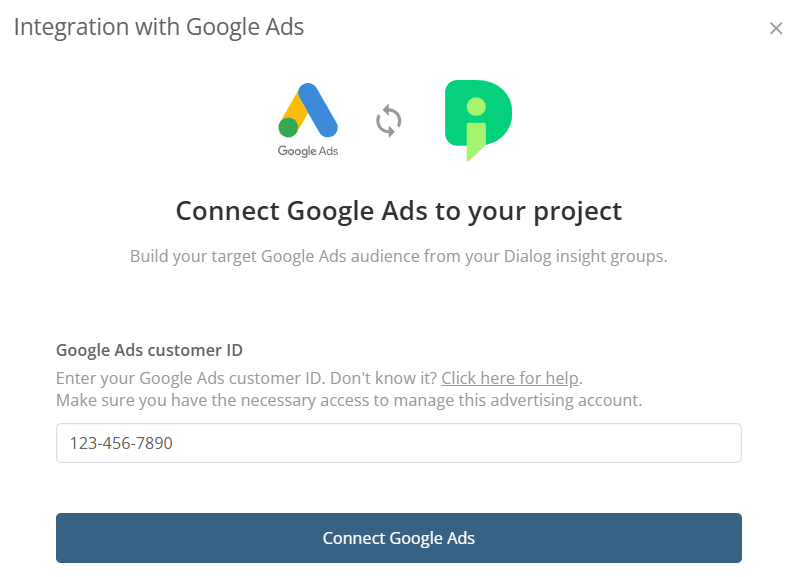
Step 2: Create a Group to Export
***The following is not a legal advice. You are responsible to seek expert advice on local laws.***
Before exporting contact data, it is essential to have explicit consent from these contacts. You could, for example, add a new opt-in field for Google Ads and ask for consent using the newsletter opt-in form by adding a sentence that asks if the contact accepts to share personal data with third-party platforms in order to receive targeted ads.
To prepare the export, you must create a group with criteria that target contacts (with the required consent) who you want to export to Google Ads.
Step 3: Export Audiences
In the group list, select the group to export: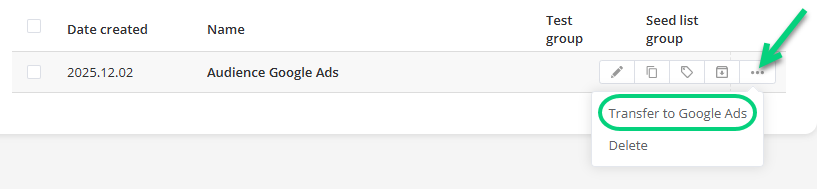
Then, select the destination, either an existing audience in Google Ads or a new audience you will create now: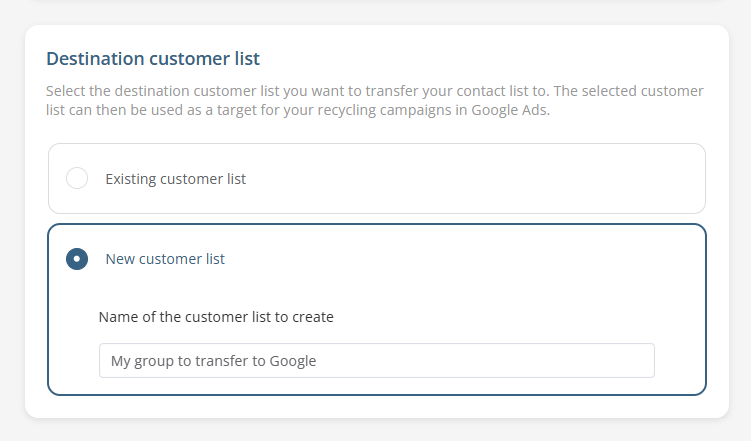
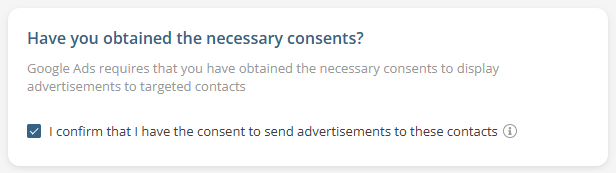
Make sure that you have the required consents: